Home / Video & Motion / SoundCraft
SoundCraft: free alternative to Pro Tools / audio workstations — desktop
Positioned against Pro Tools. Maturity: in development. Our hands-on: the web build enters the full multi-track DAW with zero install (tracks + real waveforms + transport + mixing), and the wasm is only 14 MiB — the fastest to load; but the UI is in English, and real-time recording is constrained by Web Audio latency.
| Replaces | Pro Tools / audio workstations |
|---|---|
| License | Apache-2.0 (commercial use OK) |
| Runs on | desktop |
| Chinese UI | no (English UI) |
| Where files go | On your device (not uploaded) |
| Cost | All features free; no subscription, no account (open source) |
| Hands-on test | 2026-10-21 · v0.10.0 |
Hands-on test (2026-10-21, v0.10.0)
- No-install entry to the multi-track DAW workspace: track list on the left, multi-track waveform timeline in the center, transport controls and timecode at the top, mixing section on the right
- Verified tracks are instrument tracks: Kick / Snare / Timpani, etc. — indicating the default target is music production, not podcasting/dubbing
- Waveforms are really rendered: real audio waveforms visible on multiple tracks (not placeholders), color-coded per track
- wasm measured at 14 MiB (~6 MiB gzipped) — one of the lightest in this batch, under the 25 MiB limit of Cloudflare Pages; the easiest to host as a 'click-to-use' app
- 0 JS errors on launch; waveforms and timeline rendered normally
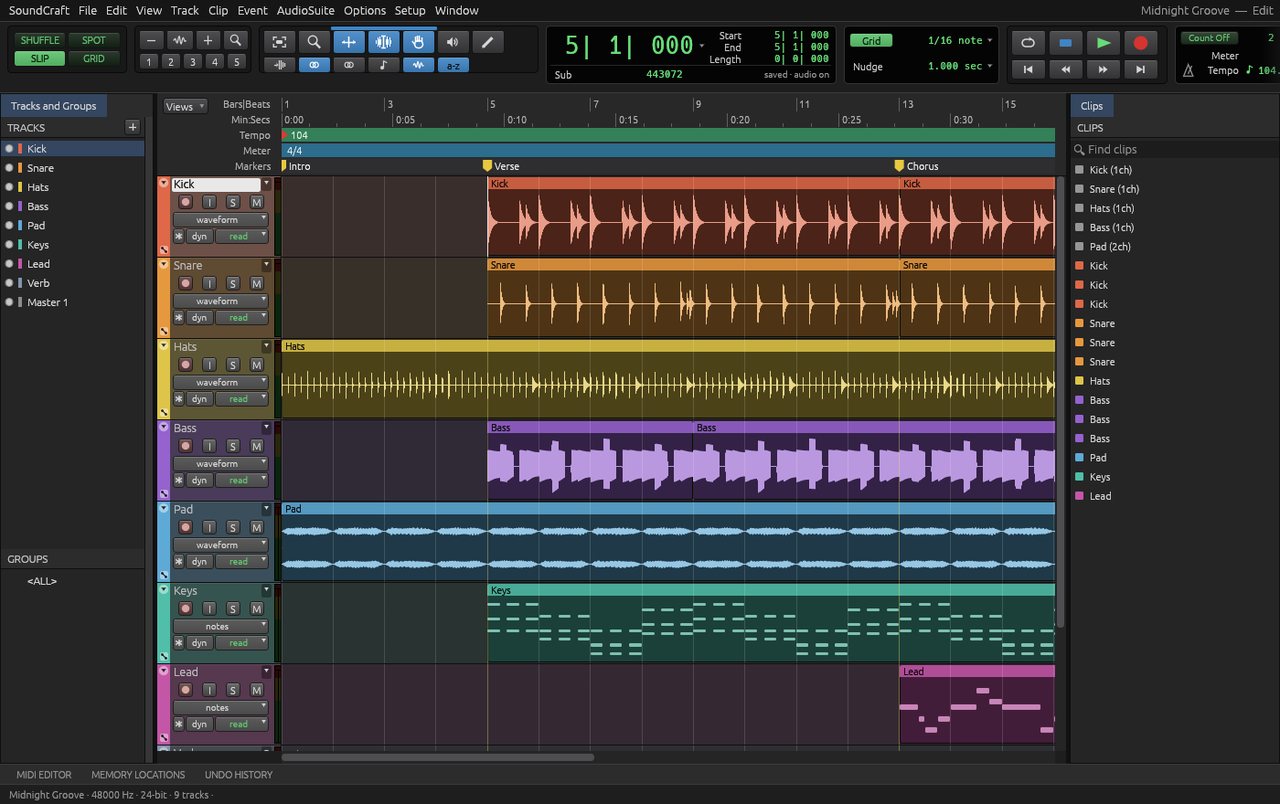
Bottom line: this is the lightest and fastest-loading tool in this batch (14 MiB), with almost no stutter in the test. But its default tracks are drum/instrument tracks, indicating the target is music production; it can be used for podcasting/dubbing too, but you will have to restructure the tracks yourself.
Best for
- Multi-track editing for scoring / music, adding sound to videos, trying a DAW workflow with zero install; works even on poor networks (14 MiB).
Not for
- Real-time recording (low-latency monitoring), heavy VST/AU plugins, surround sound, interchanging with Pro Tools project files.
Similar alternatives
How to get started
- Grab the installer from the official site (or use the official online build).
- Run the full workflow (open → edit → export) on a throwaway file first, to confirm format compatibility.
- Once you accept its limits, migrate your daily workflow; keep the original software as a fallback for critical deliverables.