VectorCraft: free alternative to Adobe Illustrator — online / desktop
Positioned against Illustrator as a vector editor; maturity: in development. Our hands-on: the web build's Chinese UI mostly works, and it can really create documents and render (40+ fps) — very useful as a 'zero-install rehearsal space'; but professional-delivery steps such as the layout engine, CMYK color calibration, and the plugin ecosystem are still out of reach.
| Replaces | Adobe Illustrator |
|---|---|
| License | Apache-2.0 (commercial use OK) |
| Runs on | online / desktop |
| Chinese UI | yes |
| Where files go | On your device (not uploaded) |
| Cost | All features free; no subscription, no account (open source) |
| Hands-on test | 2026-10-21 · v0.14.0 |
Hands-on test (2026-10-21, v0.14.0)
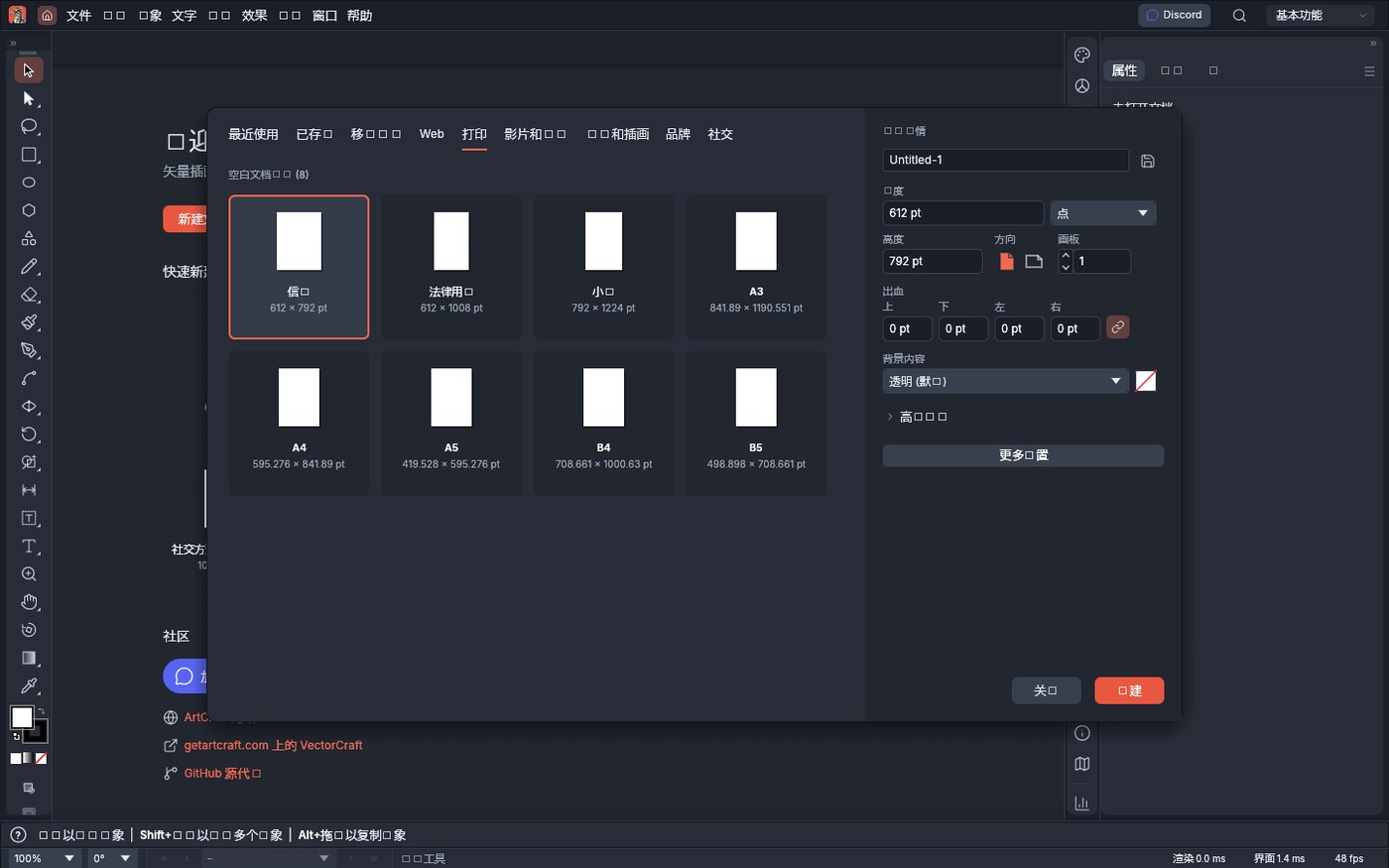
- Chinese UI mostly works (the best of the three tools tested this round): the welcome page's 'Welcome to VectorCraft' / 'Vector illustration — fast, open, scriptable', the New File panel's 'Quick new file / Blank document (8)', the right-side 'Properties' / 'No document open', and the bottom status bar's 'Render 0.0ms / UI 2.7ms / 4 fps' all display correctly
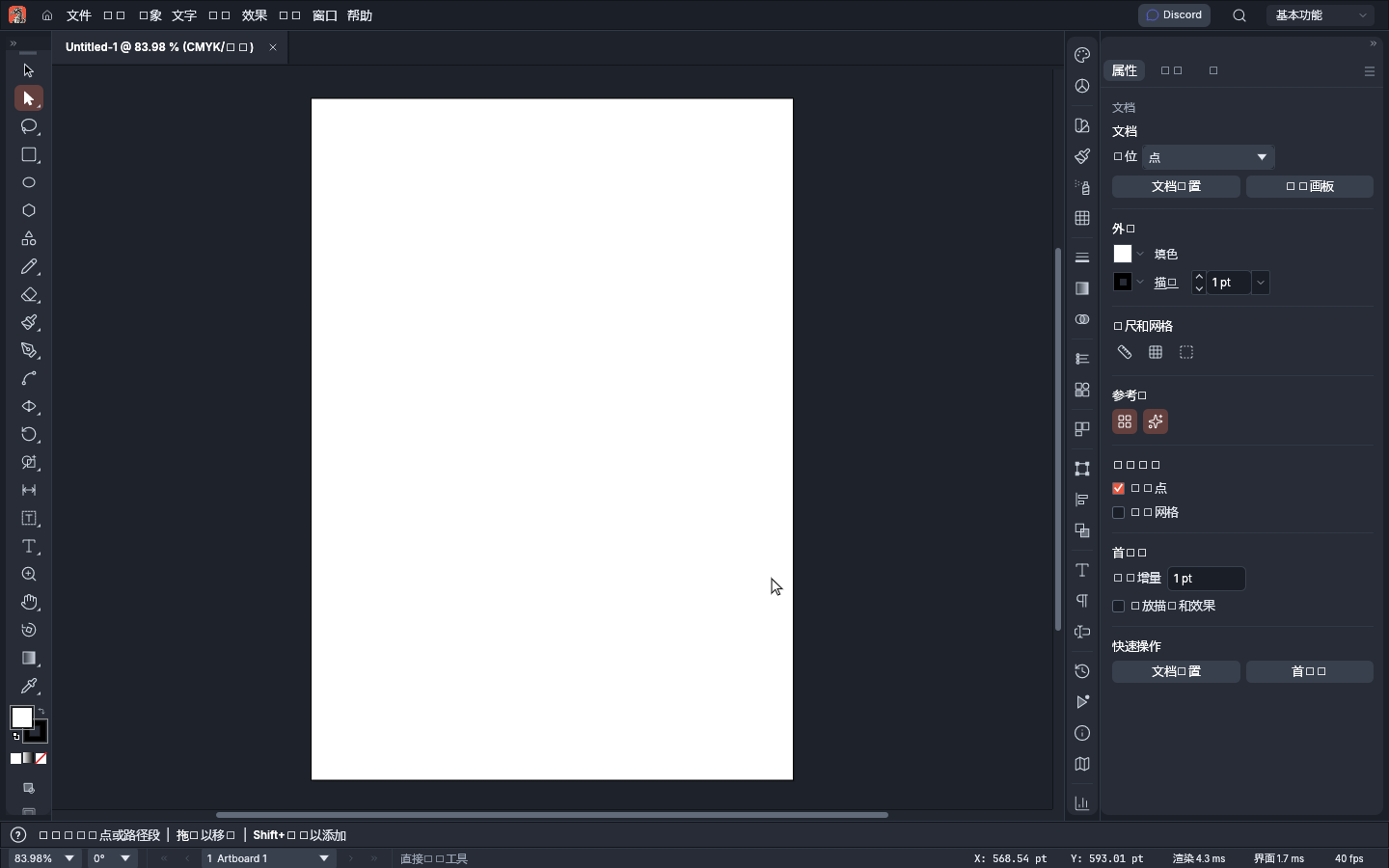
- Really created a document: clicking 'New file' → choosing a preset → 'Create' yields Untitled-1 @ 83.98% (CMYK/…); the bottom status bar shows 1 Artboard 1 and live X/Y coordinates (unit: pt)
- Performance measured with clear deltas: 4 fps on the welcome page → 40–48 fps after creating a document, status bar shows 'Render 4.3ms / UI 17ms' — it is not just 'opens', it is actually usable after document creation
- Preset sizes carry exact pt values: A4 595.276×841.89 pt, Letter 612×792 pt, Web 1920×1080 px, Phone 390×844 px, and 8 presets in total
- Properties panel options verified: document width/height (unit selectable as 'points'), orientation, artboard count, bleed (0 pt on all four sides), background content (transparent/solid), outer frame fill and stroke (1 pt), rulers & grid, guides, preferences
- The official package showed a few menu/property labels as tofu blocks; our self-hosted online build got a CJK font patch on 2026-11-03 and displays correctly
So can it replace Illustrator? For logos, icons, simple illustrations, and daily layout work — it's enough, and it saves the install; but the 'professional-grade delivery' step is not yet within its reach. Don't treat it as an Illustrator replacement; treat it as a 'zero-install rehearsal space and second tool': use it to run through ideas and layouts, then finalize in the professional software.
Best for
- Making logos / icons / simple illustrations / social images; trying vector editing at zero cost; a lightweight workbench that requires no software install and keeps files on your device.
Not for
- Deliverables relying on a mature layout engine and professional output (print-grade CMYK color calibration, complex font layout), many third-party plugins, team collaboration and version-control workflows.
Similar alternatives
How to get started
- Click "Use online" above — it runs in your browser, no signup required.
- Run the full workflow (open → edit → export) on a throwaway file first, to confirm format compatibility.
- Once you accept its limits, migrate your daily workflow; keep the original software as a fallback for critical deliverables.