Home / Design & Vector Tools / FigCraft
FigCraft: free alternative to Figma — online / desktop
Positioned against Figma. Maturity: 'early alpha' (the least mature tier by the official label). Our hands-on: the web build enters the design canvas with zero install; the Design/Prototype/Inspect three-part skeleton is complete, and the properties panel and export are all present; but there is no cloud collaboration, and the UI is in English.
| Replaces | Figma |
|---|---|
| License | Apache-2.0 (commercial use OK) |
| Runs on | online / desktop |
| Chinese UI | no (English UI) |
| Where files go | On your device (not uploaded) |
| Cost | All features free; no subscription, no account (open source) |
| Hands-on test | 2026-10-21 · v0.8.0 |
Hands-on test (2026-10-21, v0.8.0)
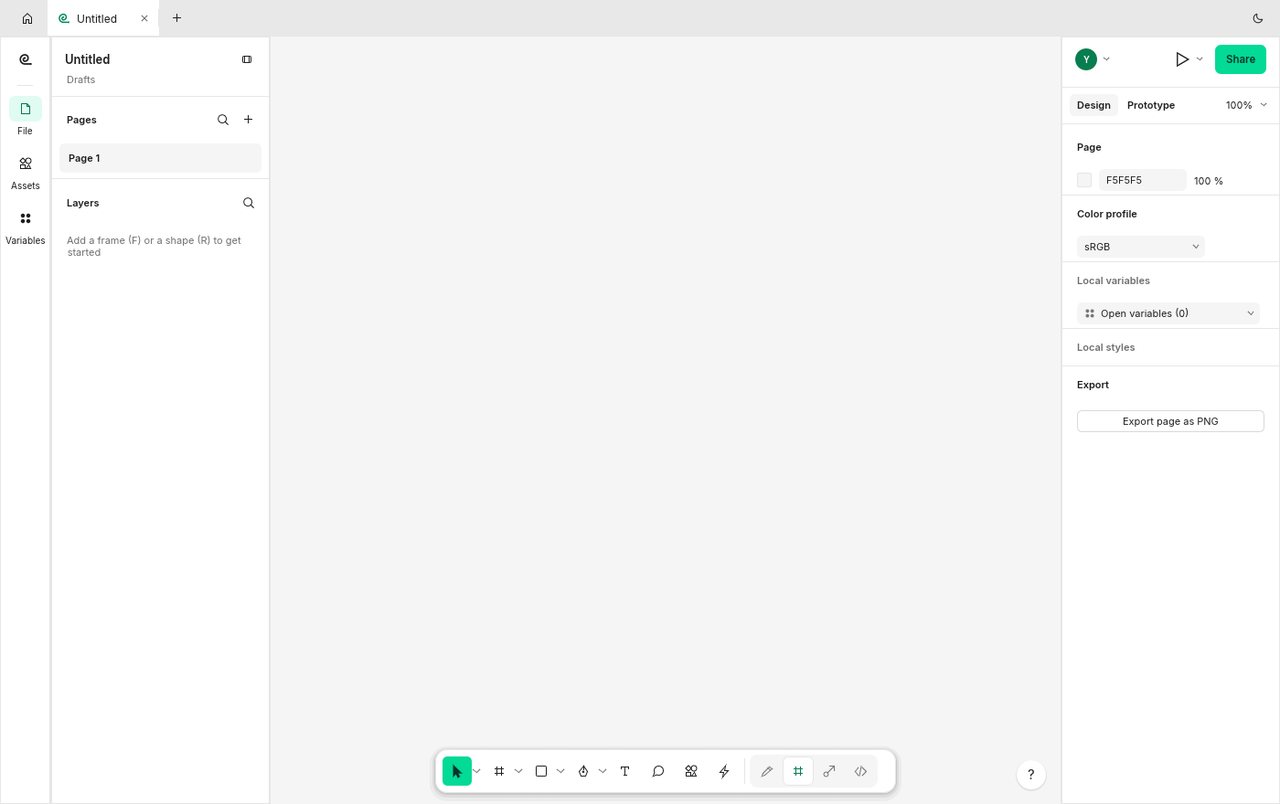
- No-install entry to the design canvas: Pages panel (Page 1) on the left, properties panel on the right, bottom toolbar; the center is a white canvas + visible toolbar icons (select/frame/shapes/text, etc.)
- Design / Prototype / Inspect — all three verified (top-right switcher) — this three-part structure is the signature of Figma-family tools: design → prototype → delivery annotations
- Properties panel verified: Stroke shows 1/100, Fill has a toggle, and the Export panel includes 'Export page as PNG'
- wasm measured at 23 MiB (~9 MiB gzipped) — just under the 25 MiB single-file limit of Cloudflare Pages
Bottom line: for people who 'draw interface mocks solo, working in Figma habits', this is the closest free local alternative — the three-part structure (Design/Prototype/Inspect), its core skeleton, is all there. But it has no cloud collaboration and is officially self-labeled 'early alpha'; don't make it the sole source for team deliverables.
Best for
- People drawing App/web UI mocks solo, who want to try a Figma-style workflow with zero install and can accept an English UI.
Not for
- Team workflows requiring real-time multi-user collaboration, team component libraries, design-system management, or a plugin ecosystem.
Similar alternatives
How to get started
- Click "Use online" above — it runs in your browser, no signup required.
- Run the full workflow (open → edit → export) on a throwaway file first, to confirm format compatibility.
- Once you accept its limits, migrate your daily workflow; keep the original software as a fallback for critical deliverables.