Home / Design & Vector Tools / CADCraft
CADCraft: free alternative to AutoCAD — desktop
Positioned against AutoCAD. Maturity: in development. Our hands-on test: the web build gets you into a full 3D modeling workspace with zero install (3 workspaces + ViewCube + layers + properties). The features are real, but the UI is in English and the terminology is dense.
| Replaces | AutoCAD |
|---|---|
| License | Apache-2.0 (commercial use OK) |
| Runs on | desktop |
| Chinese UI | no (English UI) |
| Where files go | On your device (not uploaded) |
| Cost | All features free; no subscription, no account (open source) |
| Hands-on test | 2026-10-21 · v0.10.0 |
Hands-on test (2026-10-21, v0.10.0)
- No-install entry to the full 3D modeling workspace: Modeling / Sketching / Annotate workspaces, 3D view + ViewCube + Top/Front/Right/ISO view buttons, Layers and Properties panels, and a full drawing toolbar on the left (line/rectangle/circle/arc/rounding/spline/dimensioning/measuring, etc.)
- wasm measured at 21 MiB (~7 MiB gzipped) — below the 25 MiB single-file limit of Cloudflare Pages, meaning this kind of tool can technically be hosted as a 'click-to-use' web app
- 0 JS errors on launch; the 3D view rendered correctly (dark gray background + grid floor)
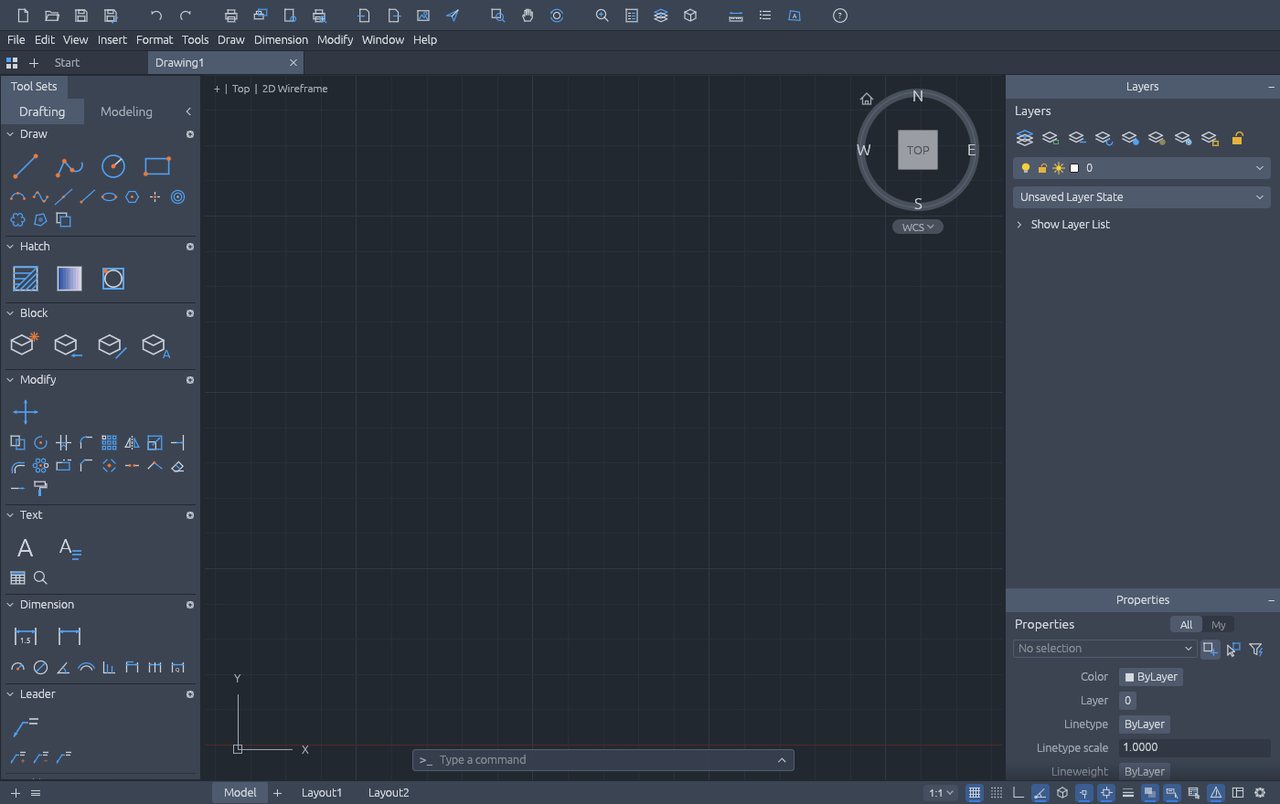
Bottom line: it lets you start parametric CAD with zero install — a big win for people who 'occasionally need to draw a part and don't want to install 2 GB of software just for that'. But the UI is English with dense jargon; on first use, follow the official samples through the sketch constraints.
Best for
- Engineers, students and makers who occasionally need part sketches or simple 3D models; anyone who wants to try parametric CAD with zero install.
Not for
- Formal engineering deliverables requiring assembly interference checks, sheet metal, advanced surfacing, standard-part libraries, or native format exchange with other CAD tools.
Similar alternatives
How to get started
- Grab the installer from the official site (or use the official online build).
- Run the full workflow (open → edit → export) on a throwaway file first, to confirm format compatibility.
- Once you accept its limits, migrate your daily workflow; keep the original software as a fallback for critical deliverables.