Home / Office Documents / WordCraft
WordCraft: free alternative to Microsoft Word — online / desktop
The template-library form is friendly to Chinese users; Chinese shows as tofu blocks in the official package; our self-hosted online build has the CJK font fix and is ready to use. Complex layout, long documents, and professional delivery are still inferior to Word.
| Replaces | Microsoft Word |
|---|---|
| License | Apache-2.0 (commercial use OK) |
| Runs on | online / desktop |
| Chinese UI | yes |
| Where files go | On your device (not uploaded) |
| Cost | All features free; no subscription, no account (open source) |
| Hands-on test | 2026-10-21 · v0.9.0 |
Hands-on test (2026-10-21, v0.9.0)
- Opening it lands on a template library, not a blank editor: 4 template thumbnails (The Open Studio Handbook, Your Name, Alex Rivers, Blank)
- 11 feature entries on the left: Home / New / Open / Recent / Templates / Export / Print / Review / Search / Styles / Settings
- The official package's Chinese UI shows as tofu blocks (left-side labels and template names are all unrecognizable); English text is normal ('Good morning', English body text inside templates)
- Confirmed root cause of the tofu blocks: the web package does not bundle CJK fonts (the same browser renders ordinary HTML Chinese perfectly normally)
- Difference from PdfCraft: PdfCraft's feature entries have icons and can be recognized by icon; WordCraft is a template-library-style home, and unrecognizable template names directly affect template selection
- wasm size: ~42 MB (~16 MB gzipped); the first load requires waiting
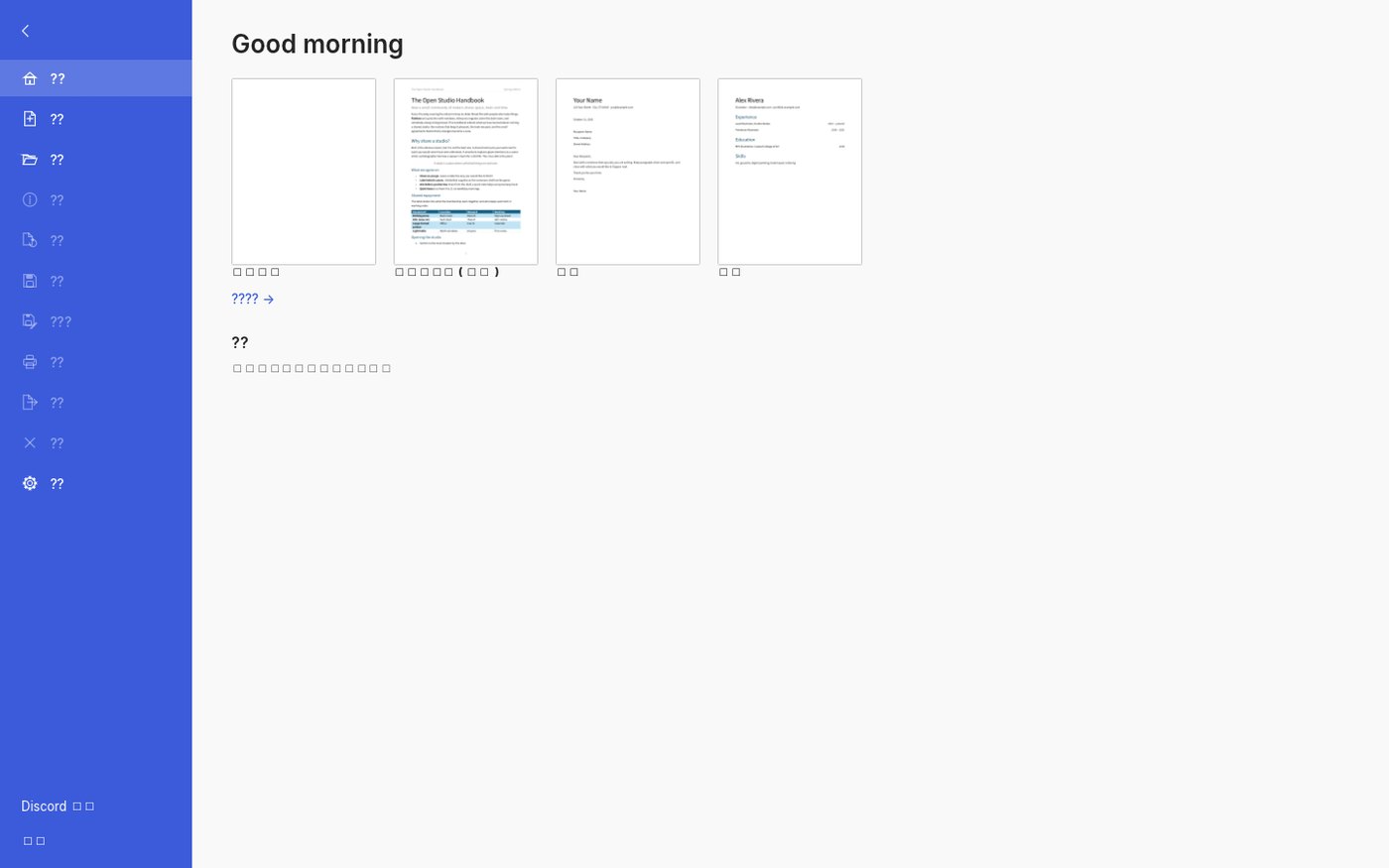
Bottom line: the WordCraft web build's product logic (templates first, open-and-use) is right, and the template library itself is more complete than its peers — all four templates have real content previews, not empty shells. But for Chinese users this web build is currently 'viewable but not usable': template names and feature names are all tofu blocks, and even 'which template to pick' has to be guessed from the English.
Best for
- People who want to grab a ready-made template and modify it directly (resumes, handbooks, personal profile pages); people willing to use an English UI; a lightweight document tool that needs no install and keeps files on your device; people who want to try CLI / MCP so an agent can batch-process documents.
Not for
- Users who need a Chinese UI (the current web build has no CJK fonts); formal deliverables requiring academic reference management, complex field codes, multi-user revision collaboration, and professional layout specifications.
Similar alternatives
How to get started
- Click "Use online" above — it runs in your browser, no signup required.
- Run the full workflow (open → edit → export) on a throwaway file first, to confirm format compatibility.
- Once you accept its limits, migrate your daily workflow; keep the original software as a fallback for critical deliverables.